Welcome to Logos Red, I go bylogos and:
You’ve finally decided to switch to a VPN that respects your privacy, Mullvad. You want to be private and anonymous without tying your debit card to your Mullvad account.
In the end, Monero is the right choice but the process is complicated compared to other payment methods.
That’s why I’m here to help you.
My Promise
This post will finally end your meaningless search for a valid answer, and you will leave with a purchase of Mullvad made with Monero.
If there are still any questions left, let me know so I can add it to help the next person who will arrive here.
My Goal
To help you improve in less time than it took me and to make sure you leave with what I promised.
I want you to join our community and for this to be a place that you revisit often.
Step by Step Guide:
Step 1: You need to own Monero
I understand how it sounds but I have a tutorial here on how to buy Monero or exchange crypto for Monero.
That should get you started with a simple, no KYC,trusted method, which should take you less than 30 minutes.
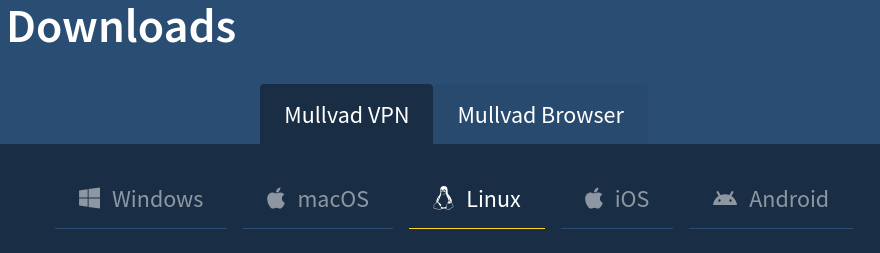
Step 2: Download the Mullvad App
The download link is here depending on your platform (hopefully Linux). The instructions are simple and clear, so I won’t go in-depth.
Step 3: Create an Account
I am doing this on Linux but the process is the same on all devices
Click the “Create account” button which will generate an account number. If you need more information on how this works, here is a guide explaining Mullvad a bit more in-depth.
DISCLAIMER: Keep that account number private and secure, anybody who has it can log into your account. That is what you’ll use to log into your Mullvad account from now on.
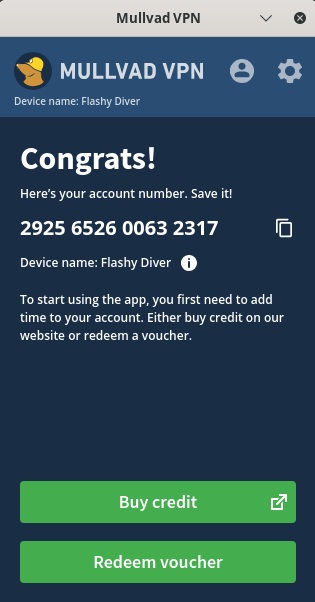
Step 4: Click on the “Buy Credit” button
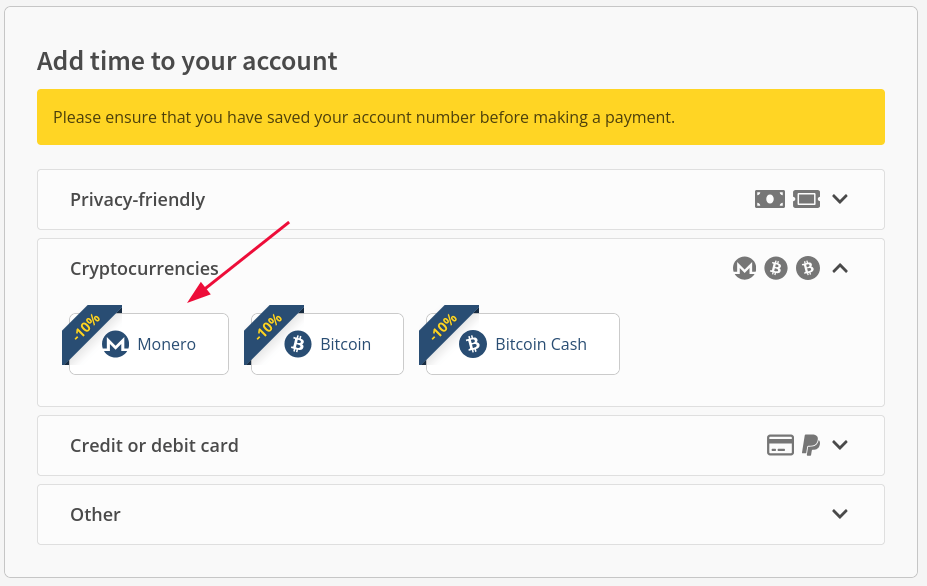
That should open up your browser and log you in, from the drop-down, select “Cryptocurrencies” and click on “Monero”.
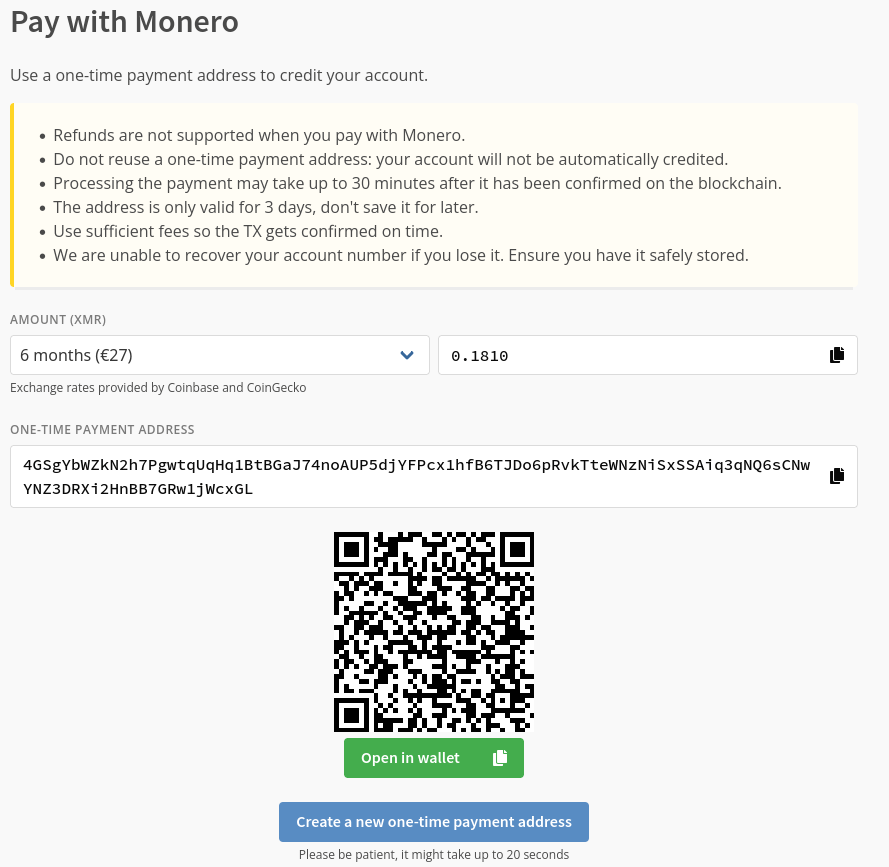
Then click on “Create a one-time payment address”
If you are using the Monero.com wallet (Should work the same on any wallet) :
In the main menu click on “Send” and in the top right you will see a QR code icon:
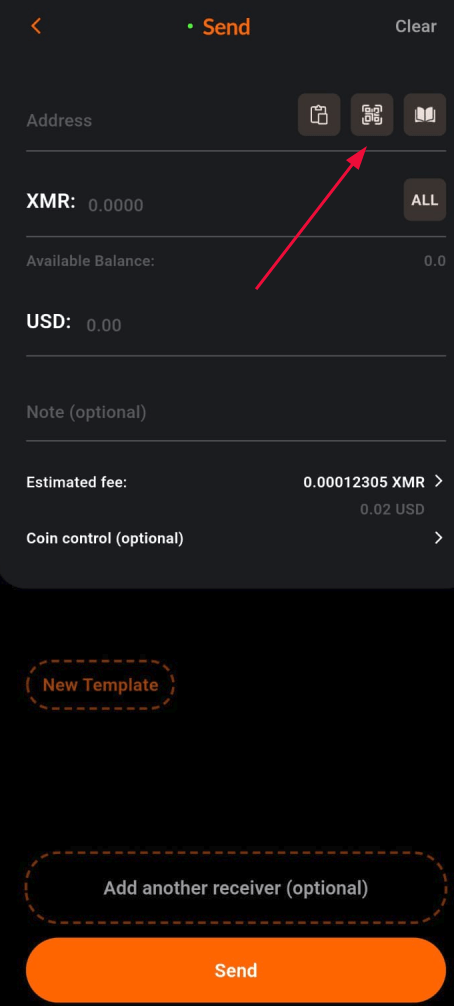
- Scan the QR code
- Verify the address matches
- Don’t change any settings
- Click on “Send”.
Now you have to wait a few minutes for the transaction to happen, Mullvad doesn’t give any indication on what’s happening so you just have to wait until your “Time left” goes up.
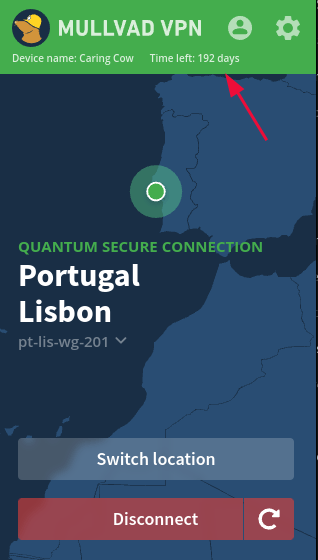
Should be relatively quick, a few minutes at max.
Conclusion
It’s that easy to get a Mullvad subscription with Monero. You buy Monero with monero.com, set up the wallet, download the Mullvad app and send the Monero over.
Now, your real identity stays private, giving you the freedom to browse—or even hack—the internet securely and anonymously.
Congratulations, you did well.
More Resources
If you didn’t understand something or you need some help, we have our own Discord community and I currently offer free coaching.
You can also leave us some feedback with what you did not understand and we will make sure to correct it.