Welcome to Logos Red, I go by logos and:
Want to test out your own FOSS Intrusion Prevention System?
In this post we’ll take a look at Suricata, an IPS that is readily available on the internet and how we can automate the deployment of it using Terraform.
No matter if you’re part of the red team or the blue team, it’s always worth noting that most businesses contain security appliances meant to defend their most important assets.
Now we’ll take a peek to see how one functions.
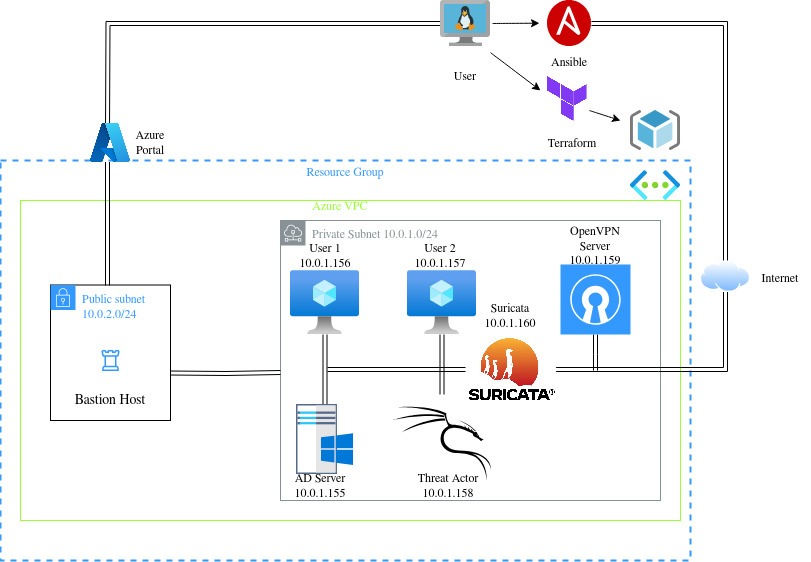
My Promise
This post will finally end your meaningless search for a valid answer, and you will leave with an automated deployment of Suricata on Red Hat Enterprise Linux.
If there are still any questions left, let me know so I can add it to help the next person who will arrive here.
My Goal
To help you improve in less time than it took me and to make sure you leave with what I promised.
I want you to join our community and for this to be a place that you revisit often.
Requirements
An understanding and setup of the previous blog post regarding the Azure lab, which can be found here: How to deploy an Azure AD Pentest Lab with Terraform & Ansible
If you’re on a free plan and can’t use RHEL, you can substitute the image inside the /Terraform/VMs.tf script with an Ubuntu image and an Ubuntu package installation ( Join the community and ask me if there are any issues in doing so)
What is an IPS?
Think of an IPS as a nightclub bouncer. Every packet of data trying to enter your network must pass through the IPS, which decides whether it should be allowed in or not.
IPS systems inspect network traffic in real-time, using rule-based detection to filter out malicious activity. This helps prevent attacks like:
- DDoS (Denial of Service) Attacks
- Malware Infections
- SQL Injection
- Brute Force Attacks
Types of IPS
Host-Based IPS (HIPS): Protects individual devices from attacks.
Network-Based IPS (NIPS): Monitors all network traffic.
It is simply a server, usually running Linux that has some certain software installed on top to perform that exact function.
What is Suricata?
Suricata is the “bouncer” software that I just mentioned earlier, it’s free and open source and easily installed onto any Linux machine.
Let’s take a look at the Terraform VMs.tf script by cloning the repository locally:
git clone https://github.com/logosred/azure-ad-pentest-lab.git
cd Terraform
Scrolling down we can see that in the bash install for the Red Hat Enterprise Linux we first start out by installing Suricata on top of the operating system:
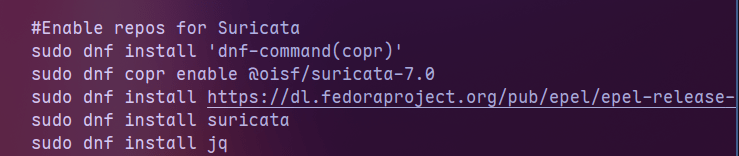
As simply as I can put it Suricata sits on top of the operating system and acts as the bouncer, looking at the traffic that goes through and ultimately deciding if it should be allowed through or not.
That is decided by the Suricata rules which are obtained in the next part of the script
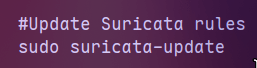
These rules are some default rules that Suricata uses to analyze traffic and see if anything that is malicious is passing by or not.
We can just as well write our own Suricata rules if we wish to.
In the next part of the script we dynamically change the interface name within the Suricata configuration files so that we start watching traffic on that specific interface instead of the default “eth0” that comes preconfigured with Suricata.
In turn also enabling the IPS mode with the “-q 0” flag.
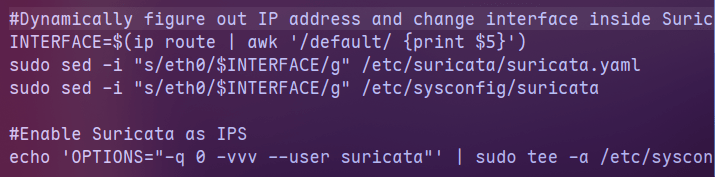
The last part is simply dedicated to sending all the traffic that is going to Suricata EXCEPT SSH towards NFQUEUE (which is where Suricata analyzes traffic) and then turning the RHEL machine into a gateway to forward traffic towards its own gateway.
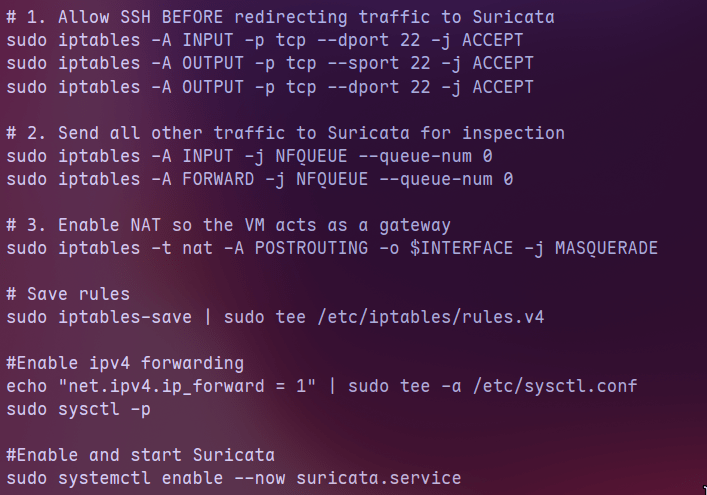
Once we’ve followed the steps in the GitHub repository: https://github.com/logosred/azure-ad-pentest-lab to change the default gateway on our Windows machines, we can start testing out our IPS.
The most simple way to do so is by visiting a website meant to test our IPS called http://testmynids.org/
We can simply go on one of our Windows machine and go to the specified page using curl:
curl http://testmynids.org/uid/index.htmlAnd on our Suricata machine we can use the following command to look in the logs and see any traffic that has been flagged as being malicious for our specific signature using the tool jq.
sudo jq 'select(.alert .signature_id==2100498)' /var/log/suricata/eve.jsonJq simply parses out the JSON information in a properly formatted way. If we wanted to simply use cat it wouldn’t look so pretty
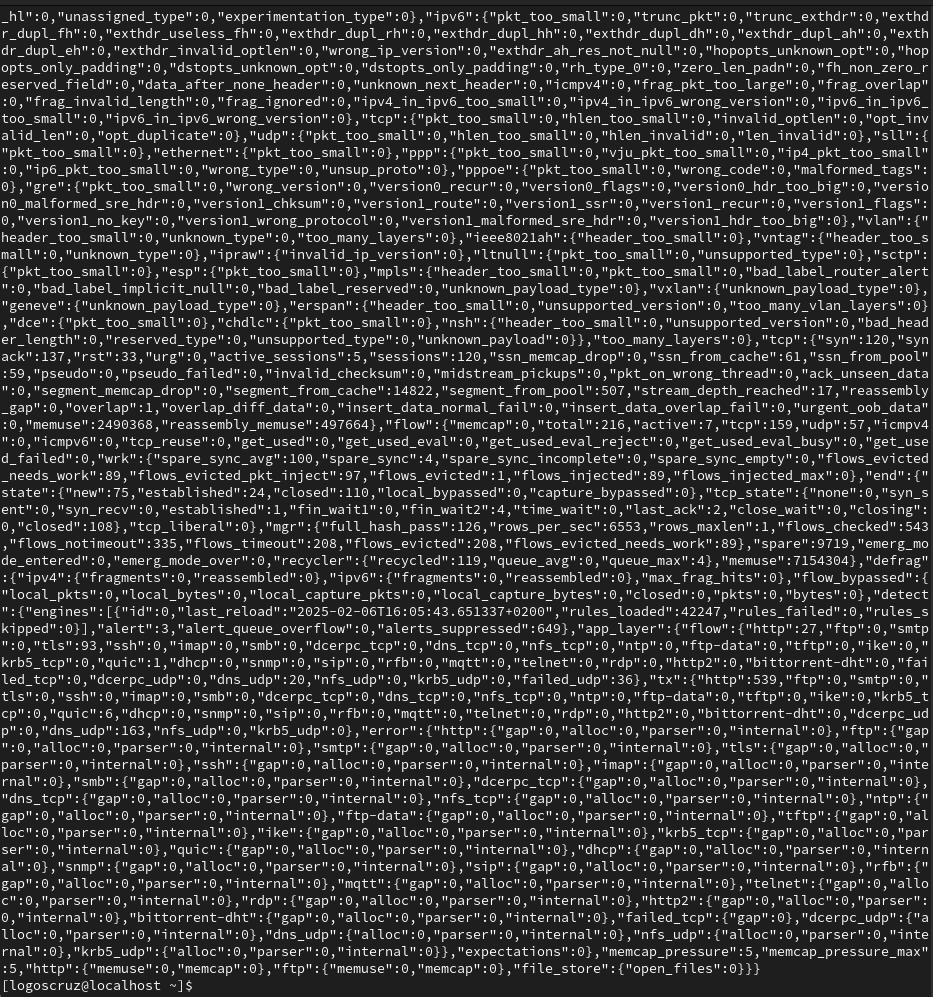
So using the commands above we see the following:
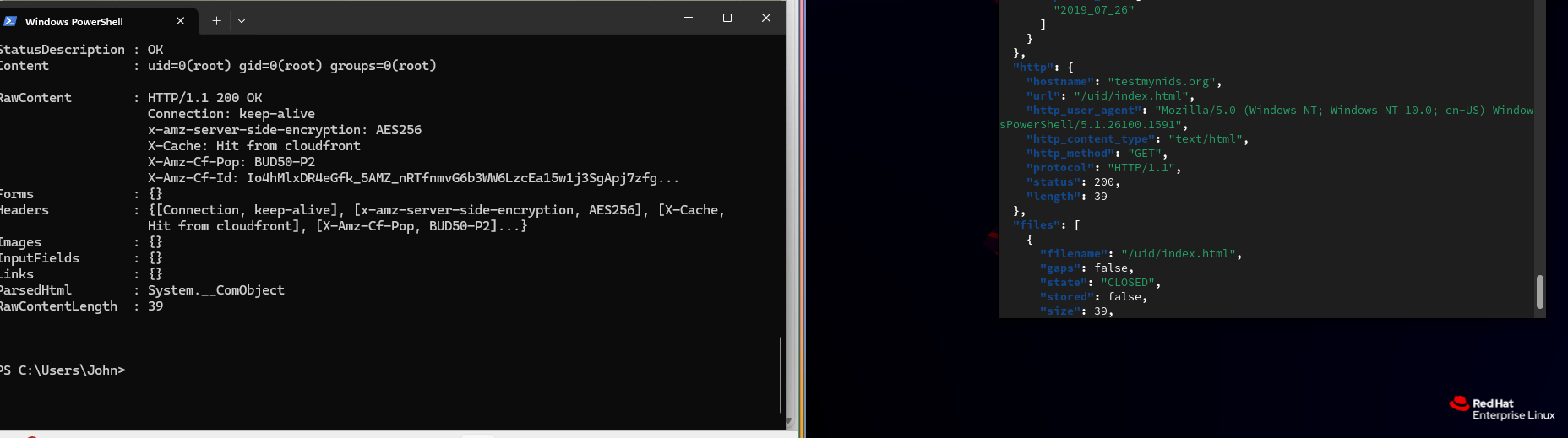
The traffic seems to have been marked as malicious but allowed to pass through. The signature id being 2100498.
That is because inside of the suricata /var/lib/suricata/rules/suricata.rules rules file the signature 2100498 is marked with alert instead of drop.
sudo vim /var/lib/suricata/rules/suricata.rules We can go ahead and change that by using any text editor and looking for signature 2100498 and changing alert to drop

Now once you restart Suricata using systemctl (You can also update the setting to reload Suricata rules without restarting and dropping traffic)
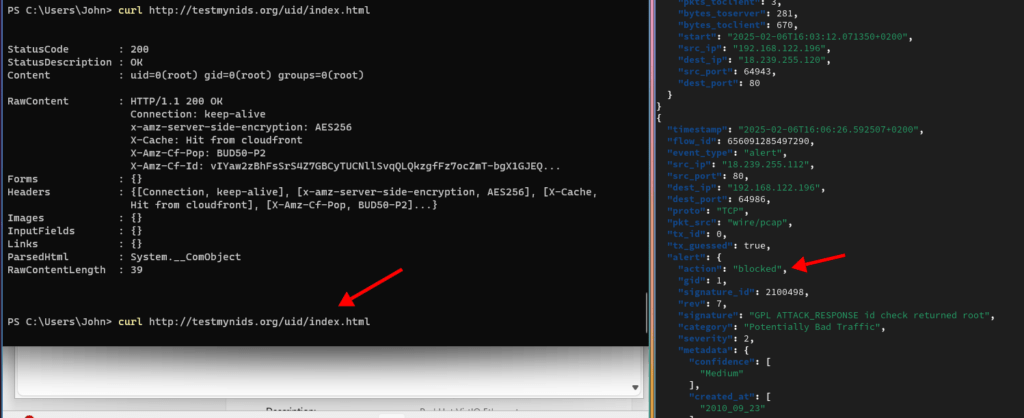
sudo systemctl restart suricataYou can see that the traffic has been blocked.
Conclusion
n this post, we deployed Suricata as an Intrusion Prevention System (IPS) on Red Hat Enterprise Linux using Terraform. We began by cloning the repository and setting up our virtual machine, ensuring Suricata was installed and properly configured.
Next, we modified the Suricata configuration to dynamically adjust the network interface and enabled IPS mode using the -q 0 flag. We then routed all traffic—except SSH—through NFQUEUE to allow Suricata to inspect and enforce rules.
To validate our setup, we tested Suricata using curl on testmynids.org, checked logs with jq, and identified traffic flagged as malicious. By modifying suricata.rules, we changed the action from alert to drop, restarted Suricata, and confirmed that the malicious request was blocked.
I thank you for reading, and I trust that this guide has proved useful.
Thank you.
More Resources
If you didn’t understand something or you need some help, we have our own Discord community and I currently offer free coaching.
You can also leave us some feedback with what you did not understand and we will make sure to correct it.