Welcome to Logos Red, I go by logos and:
Want to find missing people, leaked company information, or hackable devices with a simple Google search?
This post will explore using search engines to find data on businesses and people via search terms and reverse image searches. This data can then be used for social engineering, password spraying, finding missing people and more.
This is a skill that will improve your life, not just your OSINT.
Don’t worry, I made it as simple as I could. Anybody can follow along.
My Promise
This post will finally end your meaningless search for a valid answer, and you will leave with knowing how to leverage search engines for OSINT.
If there are still any questions left, let me know so I can add it to help the next person who will arrive here.
My Goal
To help you improve in less time than it took me and to make sure you leave with what I promised.
I want you to join our community and for this to be a place that you revisit often.
Use your OSINT skills to help find missing people
If you want to practice your OSINT skills, you can do so by helping families find their missing loved ones. Imagine being the person who solved a human trafficking case and helped a family reunite.
Become an investigator and join the movement over at TraceLabs: https://www.tracelabs.org/
Requirements
- An OSINT Lab, such as the one I built here: OSINT Investigations: A Guide to Setting Up a Virtual Lab
What are we covering?
Search engines are the main way to find information. The first thought that pops into most people’s heads when they are faced with a problem or need information is to Google it.
Google, Bing, and Yandex have their own “web crawlers” that crawl as many URLs as they can for them to be indexed on their search engine. Unfortunately this means that a lot of pages that aren’t meant to be exposed to the public are also exposed.
The data branches in two directions:
- Confidential OSINT Data: Leaked sensitive information such as passwords, emails, employee records, or building layouts.
- Public OSINT Data: Publicly accessible details like photos, contact information, social media profiles, and political views.
A simple Google search can reveal articles that people have appeared in or blogs they have posted. Data that can tell us a lot about the person and who they are.
Getting good at searching is a skill that you can harness. A skill that can land you a successful penetration test or information on people that you are wary about.
Becoming Better at Searching
The main search engines that you’ll be using are the following:
- Google: https://google.com
- Bing: https://bing.com
- Yandex: https://yandex.com
Most of the other search engines base their data on these main three. For example, DuckDuckGo uses Bing for its data.
Brave Search and other search engines can prove useful, but they’re unfortunately too new and don’t crawl as often. They should be used as a last resort.
Search Parameters
The act of using Google to find OSINT is known as “Google Dorking” and is a skill that can be mastered.
Search engines have certain parameters that you can set. These parameters will help you find information better and more efficiently.
For example
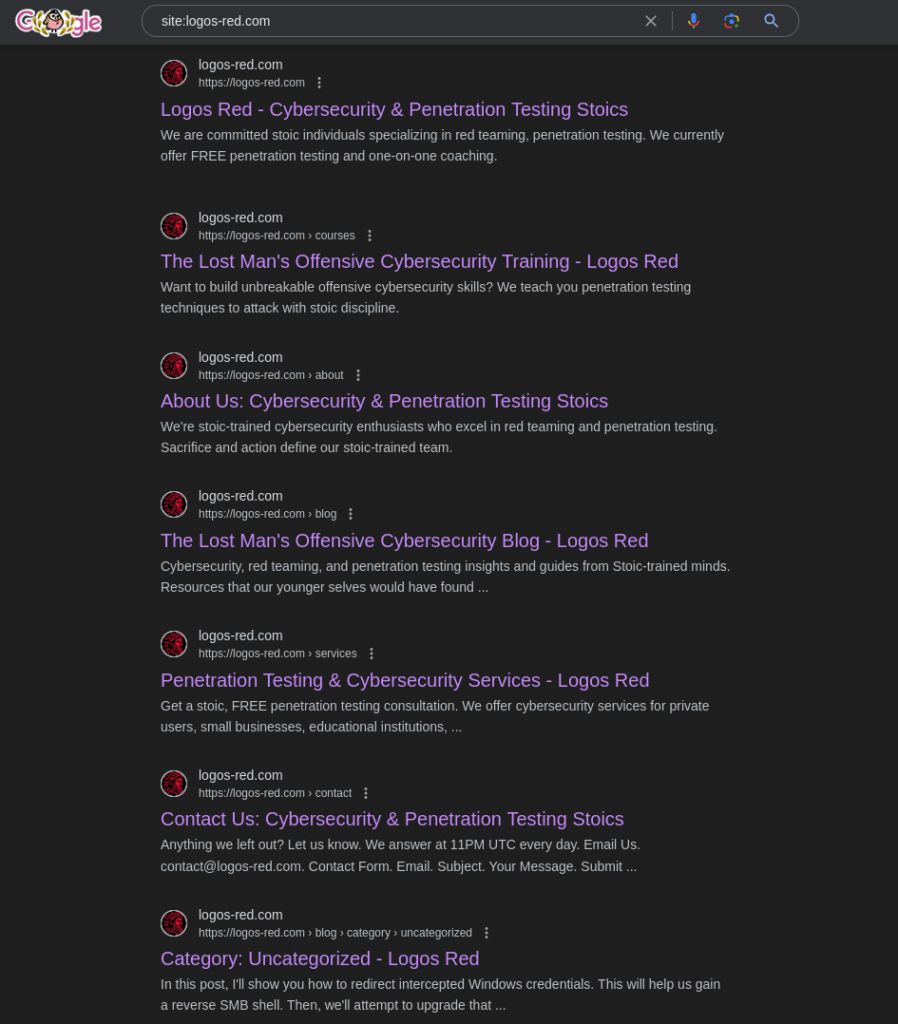
site:<website_url>
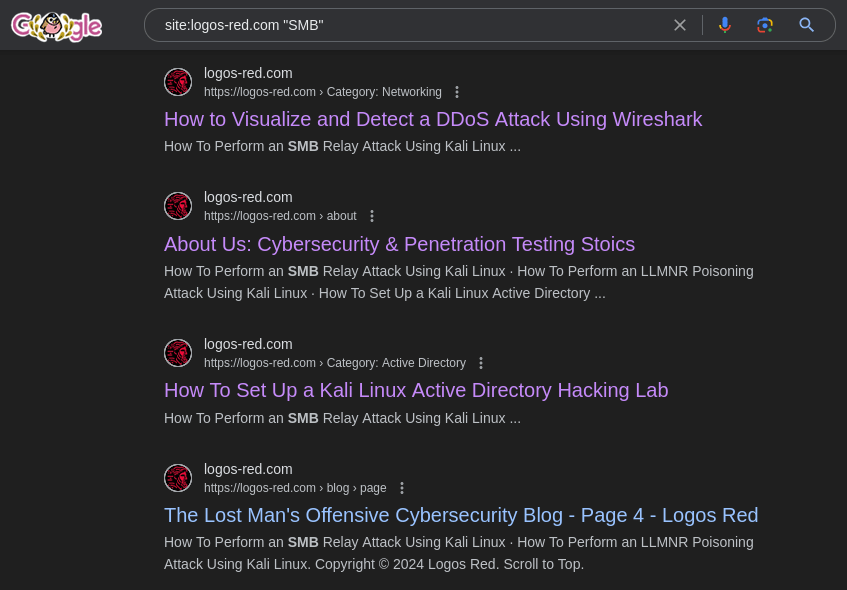
"<data_that_must_be_included>"
filetype:"<type_of_file_you_want>"
The first one looks for results that come only from the URL you specified.
The second one specifies that the data MUST be included in what you’re searching for.
And the last one specifies what type of file you want to find.
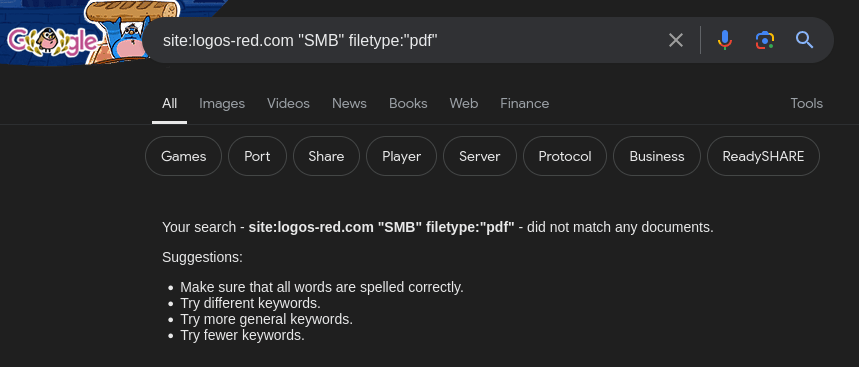
There are a lot of search parameters that you can use; these are just a few examples.
Here is a full cheat sheet that tells you about every single operator you can use on Google: https://gist.github.com/sundowndev/283efaddbcf896ab405488330d1bbc06
And one for Bing https://seosly.com/blog/bing-search-operators/
Google also provides you with an easy GUI with parameters that you can use by clicking Tools -> Advanced Search

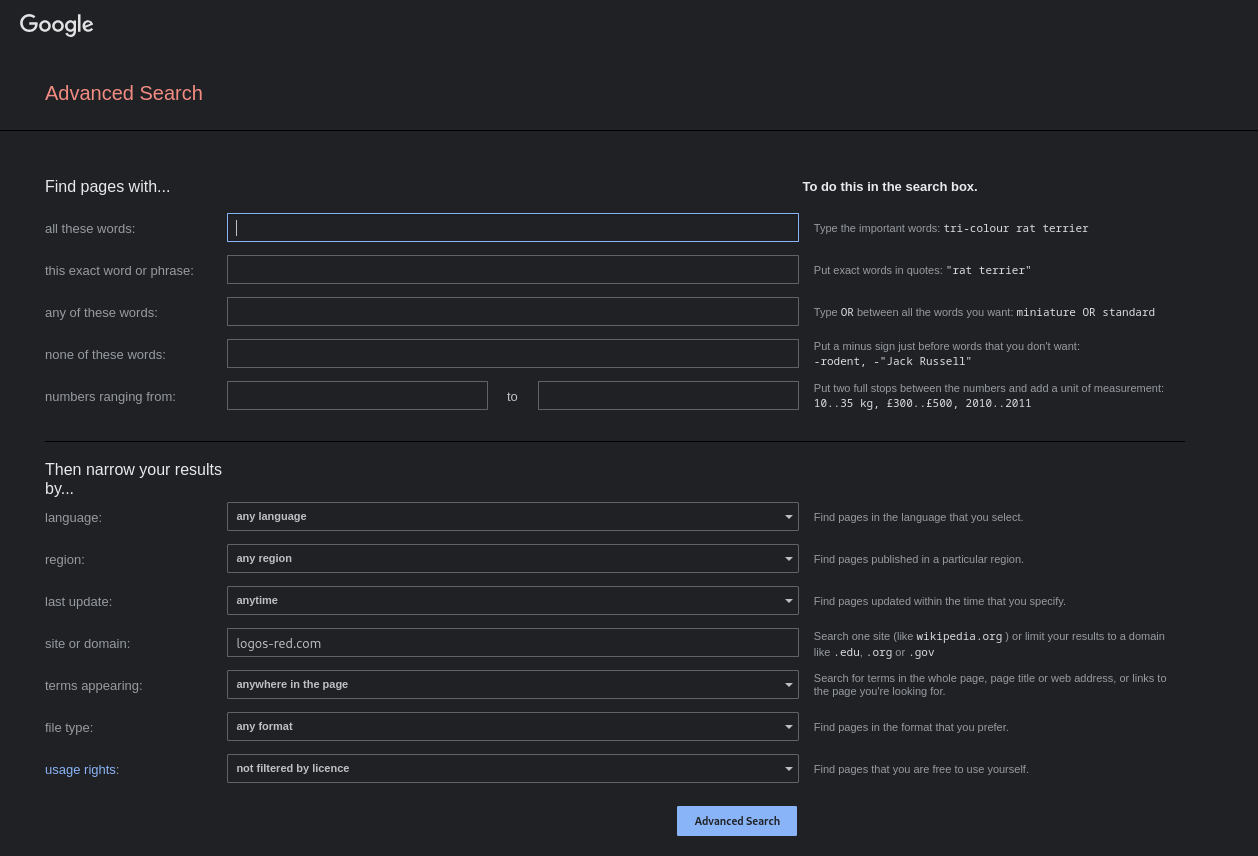
People, as you can imagine, string these together. They then create a Google “script” to find vulnerable devices or leaked information.
Exploit-DB is made exactly for that: https://www.exploit-db.com/google-hacking-database
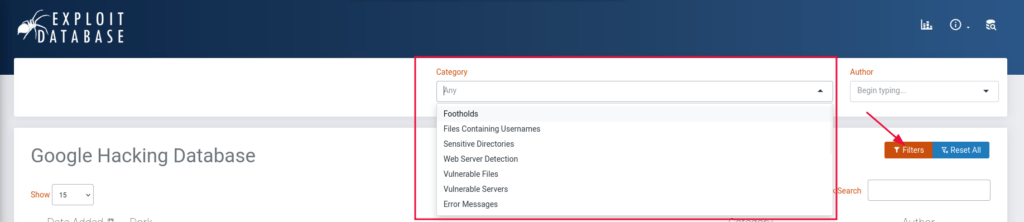
For example:
intitle:"webcamXP 5’"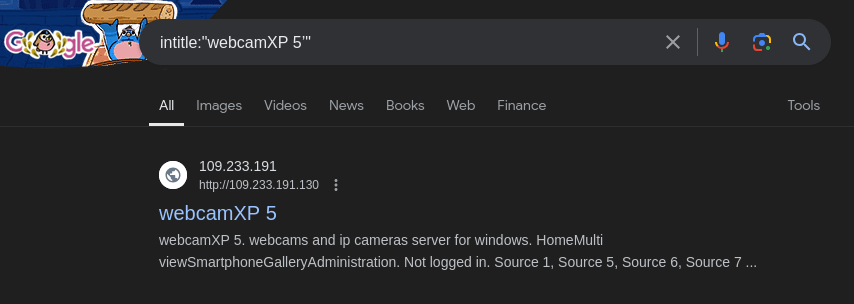
Will give us Google search results of real live cameras from around the globe. This happens due to the Google web crawler stumbling upon the page and indexing it when it shouldn’t.
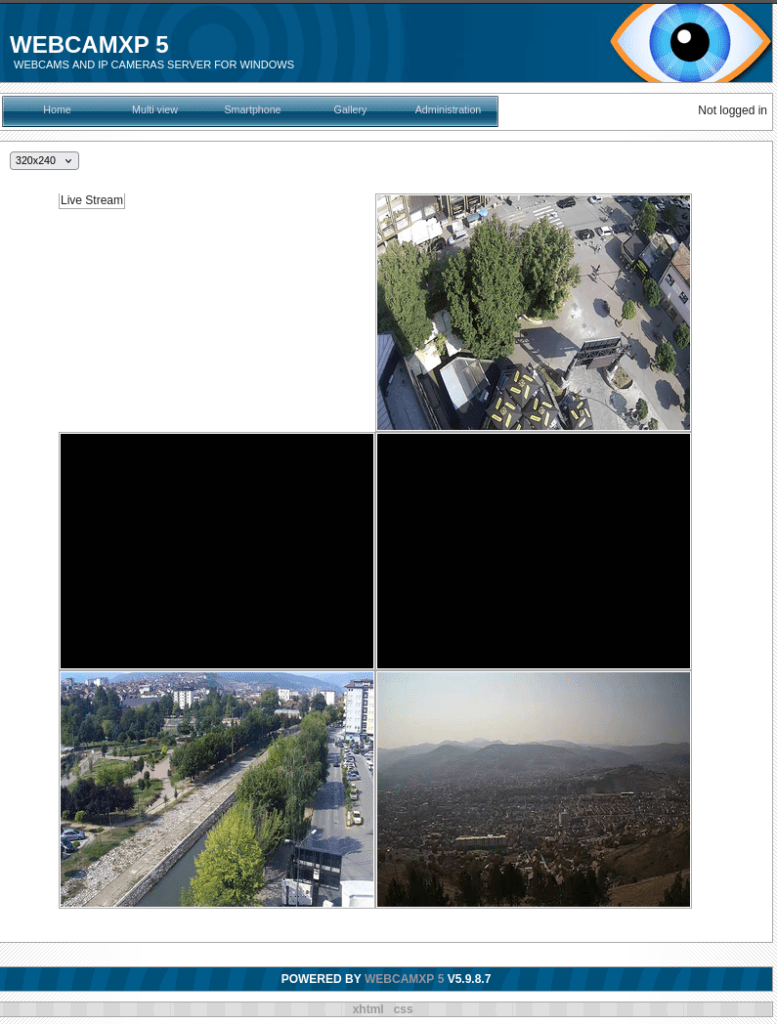
You can, of course, also leverage ChatGPT to create prompts for you, as an example:

Searching for login pages on Tesla:
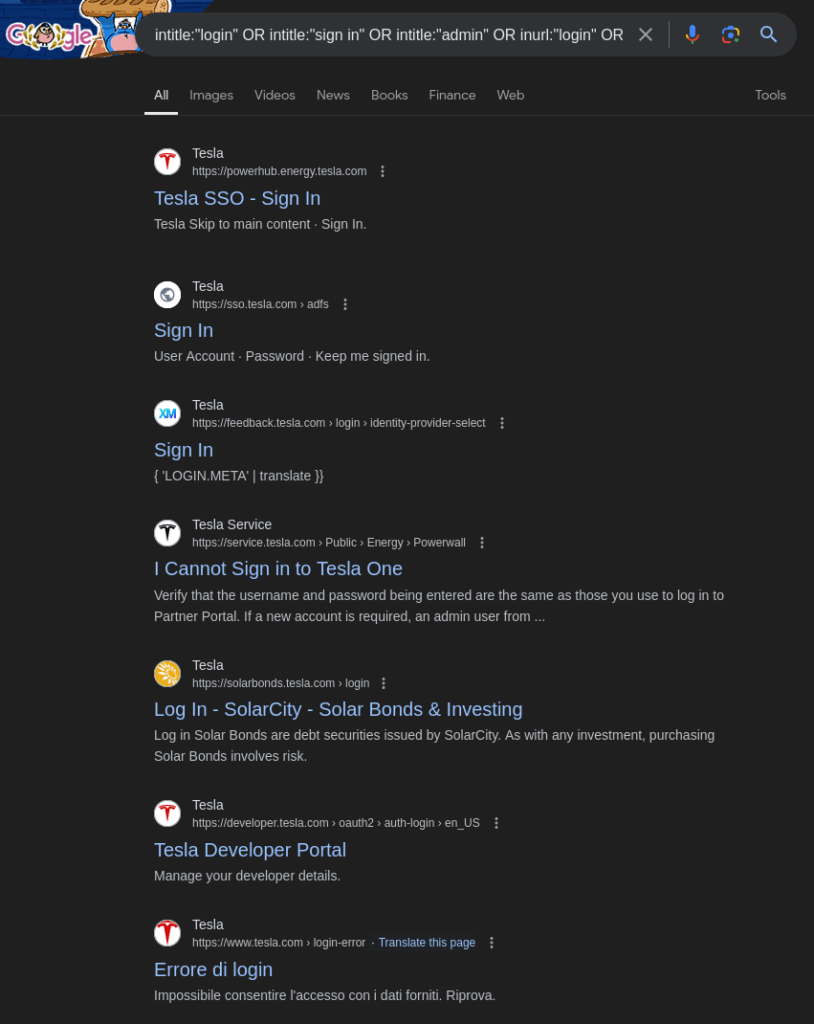
These seem very interesting and a possible attack vector.
Make sure you use all three search engines: Google, Bing, and Yandex.
Oftentimes, I find data on Bing that I didn’t find before on Google.
These search parameters can be used just as well to find data on people. Searching for a name in quotes can easily land you with news articles that people have appeared in. Keep stringing search terms along, and you’ll quickly find data.
Data that can tell an awful lot about people if you really analyze it. Very small details can prove to be really big stepping stones.
Reverse Image Searching
This is the art of searching using images and the point where Yandex, PimEyes, and TinEye shine the most.
You’ll see why in a bit.
We can simply use these search engines to find people or company data online.
Let’s say that we’re suspicious of somebody and want to find out if they’re a catfish or not, and their profile picture is the following:

We can easily use Google, Bing, Yandex, or TinEye to do so:
- Google Images: https://images.google.com/ This is your most rounded tool for image searching.
- Pimeyes: https://pimeyes.com/en This is your best tool for finding people in images.
- TinEye: https://tineye.com/ This is your most precise tool for image searching. As it searches for exact copies.
- Yandex Images: https://yandex.com/images This is your best tool for finding related images.
- Bing Images: https://www.bing.com/ Last resort in case any of the previous ones fail.
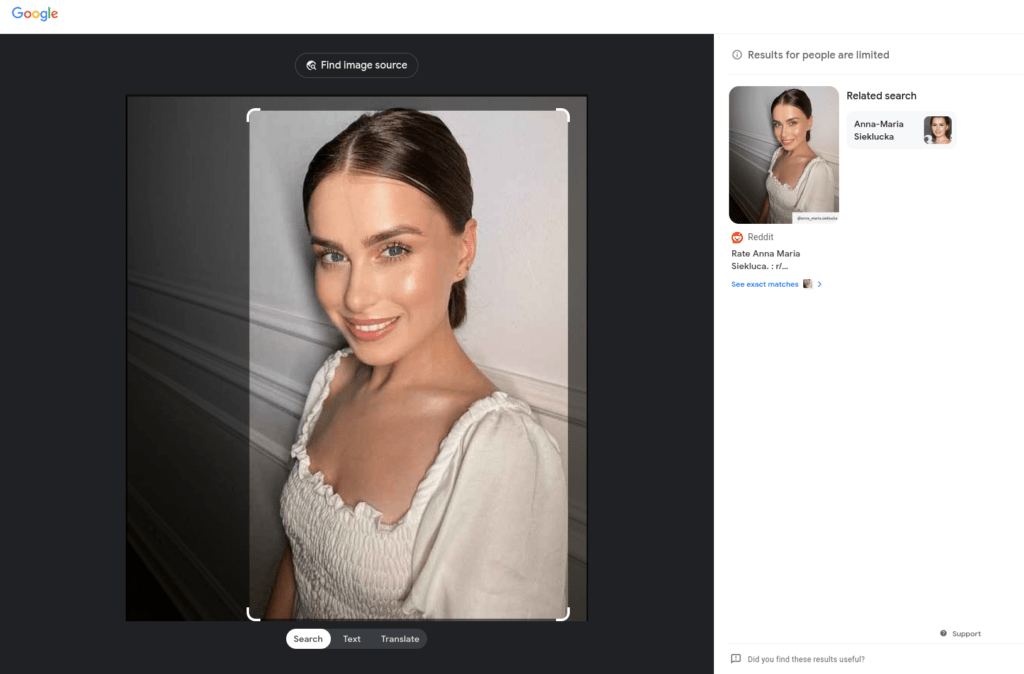
We find the original post alongside the name of the real person, “Anna Maria Siekluca”. This person is definitely a catfish.
- Why is Yandex so powerful for images, you might ask?
Yandex searches for related images. It tries to find people who look similar, not the image. Let’s look at an example from https://thispersondoesnotexist.com/

This person isn’t real, but let’s see what Yandex has in store for us:
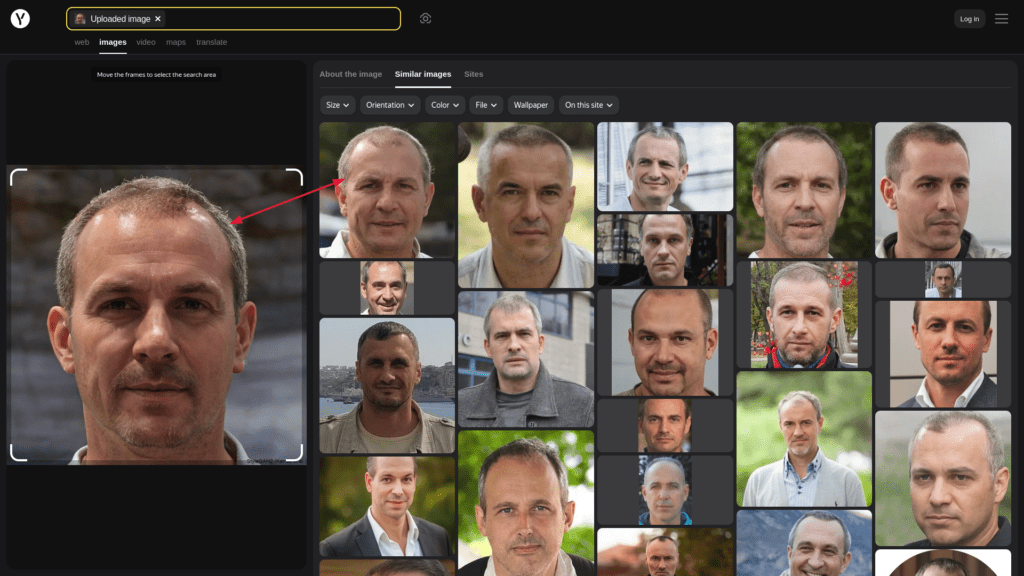
Pretty similar, isn’t it?
But PimEyes is absolutely bizzare with how it can find people inside of photos. Try it out on yourself and you might uncover photos you haven’t even seen before.
In this video you can see how it was used to solve a 14 year old mystery:
Physical Location
We can use the image tools from before alongside Google Maps to find the location of images.

Somebody posted this photo and we want to find out where it was taken. We can use reverse image searching along with Google Maps to find it.
A simple Yandex search solves the problem:
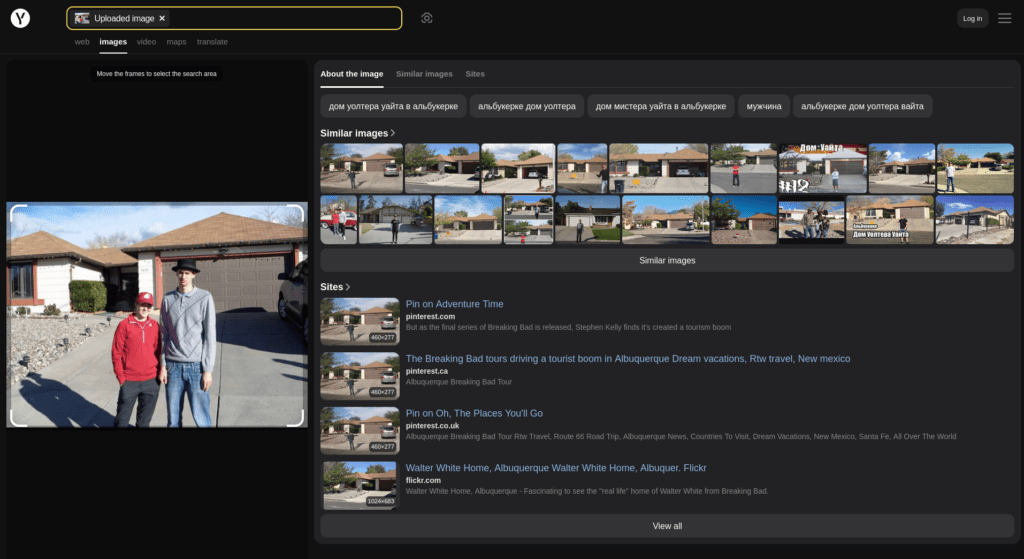
That’s the house from Breaking Bad, picked it up pretty well I say.
But let’s say that reverse image searching fails. That’s when we start looking for data such as:
- Signs that are in a certain language or that tell us an address
- License plates
- Which side are the cars driving on?
- Climate
- Architecture
- Flora and Fauna

Let’s say that reverse image search fails and we want to find the location of this image. We have some hard to read text in the right side that with a bit of deciphering says “Boone County Nature School”
By googling the name we find an article that has the same sign in the background and also tells us the location of it.
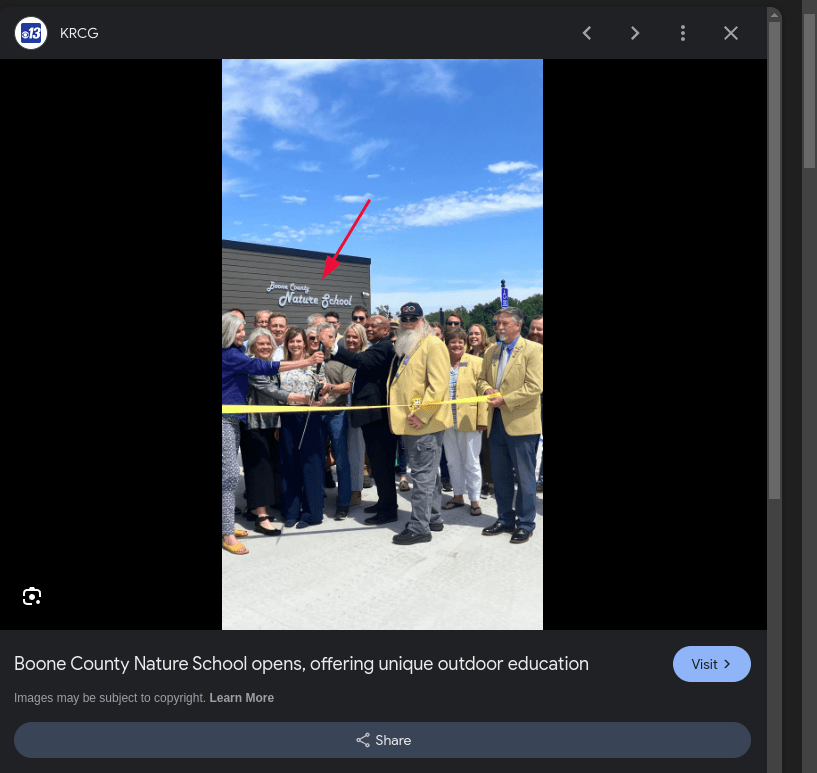
The best and most fun way to train this skill is by using something like https://geoguessr.com
Conclusion
In this post, we’ve walked through the steps to harness the power of search engines for OSINT. You now know how to use Google’s advanced search parameters and master reverse image searches with Yandex and PimEyes.
You can uncover data on businesses, people, and potential vulnerabilities. We’ve also explored how small details can yield valuable info. This applies to both penetration tests and investigations into individuals.
Along the way, we broke down the search engine landscape, showing you how to use Bing, Google, and Yandex effectively, and even provided cheat sheets and examples to help you practice. Now, it’s all about putting these techniques to the test—whether it’s finding missing persons, uncovering sensitive data, or simply becoming a more efficient investigator.
I thank you for reading and I trust that this guide has proved useful
More Resources
If you didn’t understand something or you need some help, we have our own Discord community and I currently offer free coaching.
You can also leave us some feedback with what you did not understand and we will make sure to correct it.