
Welcome to Logos Red, I go by logos and:
If you’ve been having issues with SavvyCAN, compiling from source might be the fix that you need. I personally could not save or load any log files, so I figured compiling my own would help. But installing QT is a mess and difficult nowadays.
This is a guide aimed at Linux but it might point Windows users to the right idea.
I personally went through the process of installing multiple versions and compiling QT from source to find the right method that I’ll show you in this guide.
My Promise
This post will finally end your meaningless search for a valid answer, and you will leave with a compiled version of SavvyCAN.
If there are still any questions left, let me know so I can add it to help the next person who will arrive here.
My Goal
To help you improve in less time than it took me and to make sure you leave with what I promised.
I want you to join our community and for this to be a place that you revisit often.
Installing QT5
First of all, I want to get some things out of the way:
- Do not compile QT5 from source. QT is a big project and will take a long time to do so since it’s written in C. There are also multiple bugs in the C code that you’ll need to manually edit. Take it from me and do not.
Now onto the installation. I managed to find an older article that details this unknown method here:
https://wiki.qt.io/Install_Qt_5_on_Ubuntu
It should work on any Linux distribution. I’m hoping that they don’t remove it. If they do contact me to update this guide.
Install the following libraries. For non-debian based distros this might be hard if they’re not available in your default repositories. Try searching around on google but know that it’ll be tough.
sudo apt install build-essential libfontconfig1 mesa-common-dev libqt5serialbus5-dev libqt5serialport5-dev qtdeclarative5-dev qttools5-dev
Run the following command to download the .run file
wget "https://download.qt.io/archive/qt/5.14/5.14.2/qt-opensource-linux-x64-5.14.2.run"After the file is downloaded, change permissions for it and run it
sudo chmod +x qt-opensource-linux-x64-5.14.2.run
./qt-opensource-linux-x64-5.14.2.run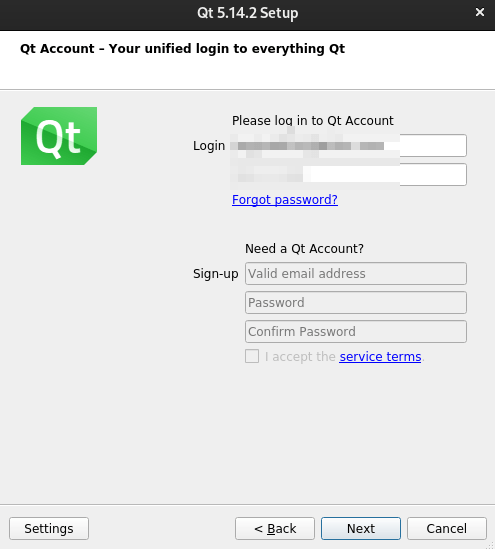
You’ll need to create an account (Use a temporary mail to save your privacy)
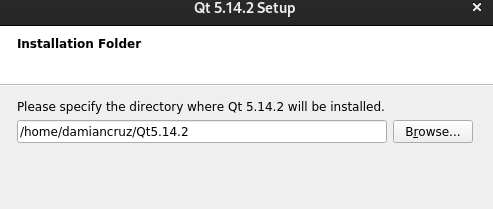
Remember your installation path, it’s under:
/home/your_username/QT5.14.2
Make sure you check this box and continue with the installation
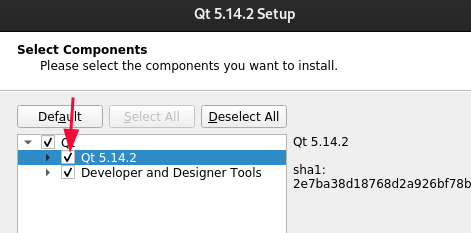
After the installation is done QT5 should be ready to be used.
Compiling SavvyCAN
I’ve had issues with the master branch so I advise you to get the older V213 version. Which seems to work fine.
First, we need to clone the repository with:
git clone https://github.com/collin80/SavvyCAN.git
cd SavvyCAN
git checkout V213
Then we need to build the makefiles with qmake (depending on where you installed it) using
~/Qt5.14.2/5.14.2/gcc_64/bin/qmake
At last, run:
makeAnd your journey should finally be over. Looking in the folder there should be a SavvyCAN binary.

More Resources
If you didn’t understand something or you need some help, we have our own Discord community and I currently offer free coaching.
You can also leave us some feedback with what you did not understand and we will make sure to correct it.